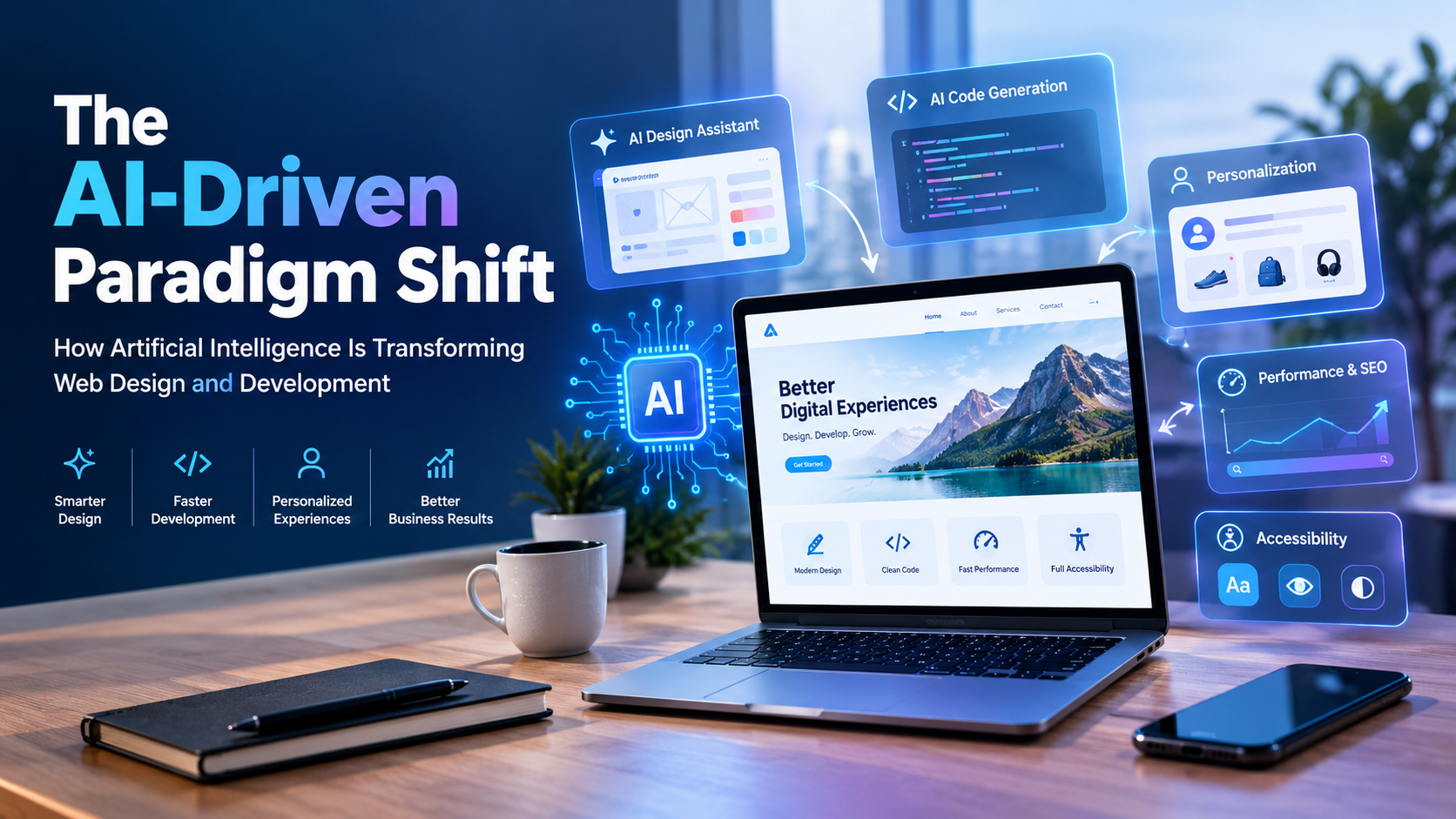
Artificial intelligence (AI) is fundamentally changing how websites are designed, developed, maintained, and optimized. What began as a collection of experimental tools and conversational chatbots has evolved into a growing part of the modern digital ecosystem, influencing everything from interface design and code generation to content personalization, performance optimization, and website maintenance.
For years, web development has relied on established workflows involving wireframes, design mockups, manual coding, testing, and ongoing optimization. While these processes remain essential, AI is introducing new ways to accelerate production, automate repetitive tasks, and make data-driven decisions throughout the development lifecycle.
The result is a shift from traditional, largely manual workflows toward more intelligent, adaptive, and efficient digital experiences.
For businesses, this transformation presents both an opportunity and a challenge. Organizations that integrate AI strategically can improve productivity, reduce development bottlenecks, and deliver better user experiences. However, achieving these benefits requires more than adopting new tools. It demands a thoughtful approach to technology, data, security, accessibility, and human oversight.
1. How AI Is Transforming the Web Development Lifecycle
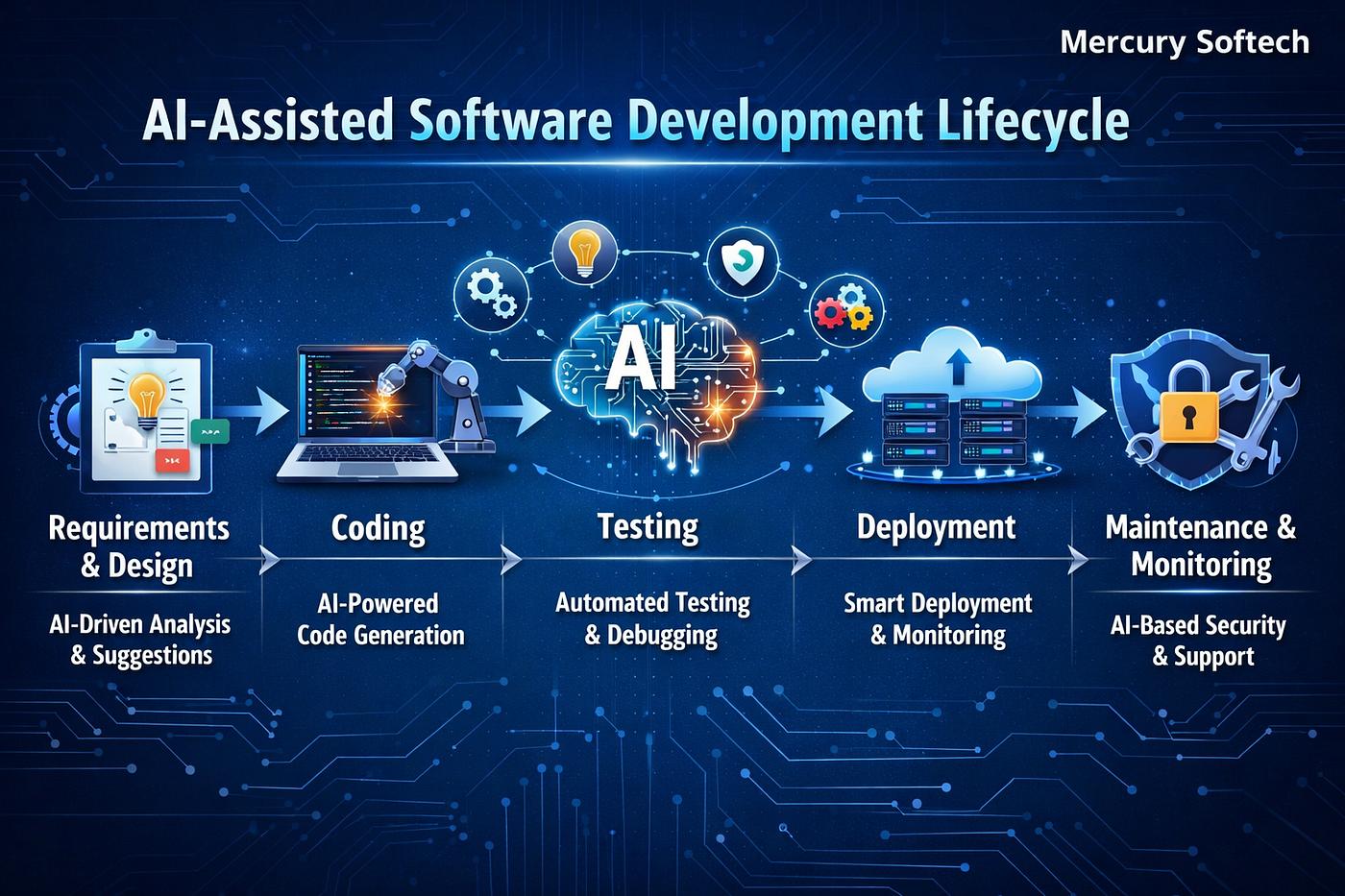
AI is influencing nearly every stage of website creation, from the initial concept to deployment and ongoing maintenance. Rather than replacing established development practices, it enhances them by helping teams work faster, explore more possibilities, and identify problems earlier.
A. Ideation and Design Systems: From Static Mockups to AI-Assisted UX/UI
Traditional web design typically follows a structured process: discovery, research, wireframing, high-fidelity design, development handoff, and testing. Although effective, this workflow can involve lengthy revision cycles and communication gaps between designers, developers, and stakeholders.
AI is helping streamline these processes.
- Generative UI Prototyping: AI-powered tools can transform written prompts, reference images, and design specifications into initial layouts, interactive prototypes, and interface components. Designers can explore multiple concepts quickly before refining the most suitable direction.
- Design System Automation: AI can help identify inconsistencies in typography, spacing, colors, and component usage across large websites. When integrated with established design systems, these tools can assist with maintaining visual consistency and identifying deviations from brand guidelines.
- Accessibility Assistance: AI-powered design and auditing tools can flag potential contrast issues, missing labels, unclear interface elements, and other accessibility concerns. Human review remains necessary to validate usability and compliance with applicable accessibility standards.
- Faster Design-to-Development Handoffs: AI can help translate design specifications into HTML, CSS, and reusable interface components, reducing some of the manual work involved in implementing approved designs.
These capabilities allow designers to spend less time producing repetitive variations and more time focusing on usability, visual identity, creative direction, and the needs of the target audience.
B. Development and Engineering: The Rise of AI-Augmented Coding
AI-assisted coding is changing how developers write, review, debug, and maintain software. Instead of handling every implementation detail manually, developers can use AI tools to generate initial code, explain unfamiliar systems, and accelerate routine engineering tasks.
Key applications include:
- Code Generation and Boilerplate Automation: AI coding assistants can generate common functions, reusable components, API integrations, database queries, and project scaffolding. Developers can then review and adapt the output to meet the project’s requirements.
- Intelligent Debugging and Refactoring: AI can help identify potential bugs, explain error messages, suggest performance improvements, and recommend ways to simplify legacy code. These suggestions still require testing and verification.
- Automated Testing: AI can assist in creating unit tests, end-to-end test scenarios, and visual regression checks. Some tools can also help maintain tests when interface elements or workflows change.
- Documentation and Code Understanding: Developers can use AI to summarize unfamiliar codebases, document functions, and explain dependencies, making onboarding and long-term maintenance more efficient.
- Security Review Assistance: AI-enabled tools can flag potentially vulnerable code patterns and configuration problems. They complement, rather than replace, security scanners, code reviews, and professional security testing.
Frameworks such as React, Vue, and Next.js can benefit from these workflows, but AI assistance is equally relevant to content management systems such as WordPress.
For WordPress developers, AI can accelerate the creation of custom CSS, PHP snippets, JavaScript interactions, reusable layouts, and content templates. It can also help troubleshoot plugin conflicts and explain unfamiliar theme or plugin code. Generated changes must still be tested in a staging environment before deployment.
The key shift is not the elimination of developers. It is the reduction of repetitive implementation work, allowing developers to devote more attention to architecture, quality assurance, business logic, and the overall user experience.
C. Website Architecture and Content Delivery: Toward More Adaptive Digital Experiences
Modern websites use different rendering strategies, including static site generation (SSG), server-side rendering (SSR), and client-side rendering. AI does not replace these architectural approaches, but it can introduce additional intelligence into how websites select, organize, and deliver content.
Three developments are particularly important.
- Context-Aware Personalization: AI systems can help tailor product recommendations, content suggestions, search results, and calls to action based on relevant user preferences and behavioral signals. The extent of personalization depends on available data, consent, and the website’s technical architecture.
- Intelligent Search and Content Discovery: AI-powered search can interpret natural-language questions, understand the intent behind queries, and surface more relevant products, articles, or services than traditional keyword matching alone.
- Performance Optimization: Machine learning can support traffic forecasting, resource optimization, anomaly detection, and predictive analysis. Techniques such as caching, prefetching, and content delivery network optimization can improve performance when implemented appropriately.
More advanced systems may also support adaptive interfaces that change selected elements according to user needs or experimental results. However, dynamic page generation and real-time layout adaptation are not automatic features of every AI-enabled website. They require deliberate implementation, reliable data, and appropriate safeguards.
The broader direction is clear: websites are becoming more capable of responding to user intent rather than simply presenting the same experience to every visitor.
2. The Business Benefits of AI Integration
The value of AI in web design and development extends beyond technical innovation. Its greatest potential lies in improving operational efficiency, supporting better decisions, and creating measurable business outcomes.
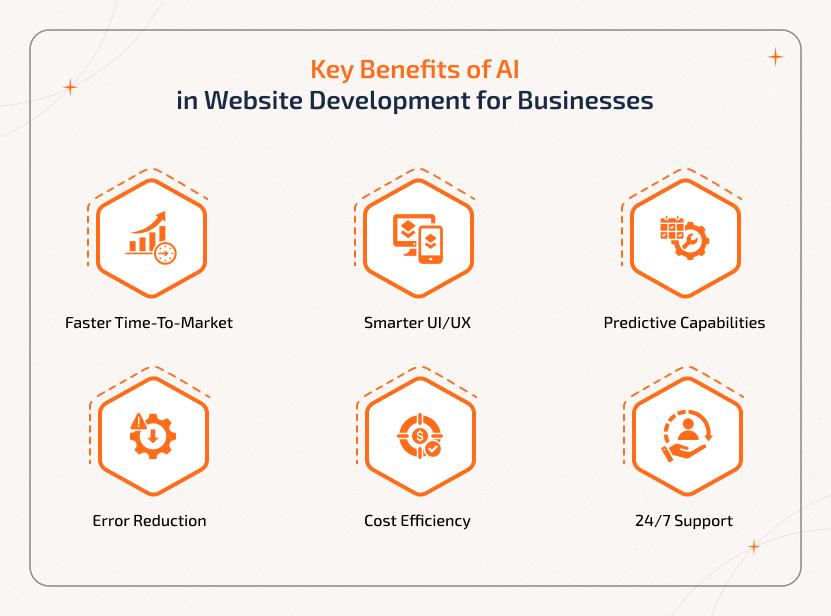
A. Faster Development and Time to Market
In competitive markets, the ability to launch, test, and improve digital products quickly can provide a significant advantage.
AI can accelerate several stages of the development process:
- Rapid Prototyping: Teams can produce initial concepts, landing pages, and interface variations in less time.
- Shorter Development Cycles: Automated code generation and AI-assisted debugging can reduce the time spent on routine implementation and troubleshooting.
- Streamlined Collaboration: AI-generated documentation, design specifications, and code summaries can improve communication between designers, developers, marketers, and project managers.
- Faster Campaign Deployment: Marketing teams can use AI to develop landing page drafts, generate content variations, and prepare campaign assets for review.
The actual time savings depend on project complexity, existing workflows, and the quality of AI-generated output. Even so, reducing repetitive work can help organizations move from concept to launch more efficiently.
B. Lower Operational Costs and More Efficient Maintenance
Website development does not end at launch. Updates, security patches, content revisions, performance monitoring, and troubleshooting require ongoing resources.
AI can help control these costs by supporting:
- Routine Task Automation: Repetitive coding, documentation, content formatting, and testing tasks can be partially automated.
- Proactive Issue Detection: AI-assisted monitoring can identify unusual traffic patterns, performance degradation, broken user journeys, and potential system failures.
- Maintenance Prioritization: Analyzing recurring issues can help teams identify which fixes are likely to have the greatest impact.
- Resource Allocation: Developers can focus on high-value technical work while AI assists with routine tasks and preliminary investigations.
AI can also support website health monitoring and security analysis, but it should not be treated as an autonomous security solution. Updates, backups, access controls, incident response, and human review remain essential.
The objective is to improve the efficiency of maintenance operations while protecting the reliability and security of the website.
C. Smarter User Experiences and Conversion Rate Optimization
A website’s success depends not only on its appearance but also on how effectively it helps visitors accomplish their goals.
AI can support conversion rate optimization (CRO) by helping businesses understand user behavior and identify opportunities to improve the customer journey.
Examples include:
- Personalized Recommendations: E-commerce websites can suggest relevant products based on browsing behavior, purchase history, or product attributes.
- Intent-Based Search: AI-powered search can help visitors find relevant products and information using conversational queries.
- Conversational Support: AI assistants can answer common questions, explain product features, and guide visitors toward appropriate services.
- Content Optimization: AI can help generate and evaluate alternative headlines, descriptions, and calls to action for testing.
- Behavioral Analysis: AI-assisted analytics can help identify friction points, abandoned shopping carts, and pages where visitors frequently leave.
These capabilities can contribute to better engagement and conversion performance when they address genuine user needs.
However, personalization does not automatically increase revenue, and more time spent on a website is not always a positive outcome. Businesses should evaluate AI-driven changes using relevant metrics such as conversion rate, qualified leads, revenue per visitor, customer satisfaction, and task completion.
D. Continuous Experimentation and A/B Testing
Traditional A/B testing compares different versions of a page or element to determine which performs better against a defined objective. AI can enhance this process by assisting with hypothesis generation, experiment analysis, and the identification of promising variations.
AI-assisted experimentation can help teams:
- Generate alternative headlines, layouts, and calls to action.
- Identify user segments that respond differently to design changes.
- Analyze experiment results and highlight potential patterns.
- Support multivariate testing when traffic and statistical methods are sufficient.
- Explore adaptive testing approaches that allocate traffic toward promising variations.
Some platforms support automated experimentation or bandit-based optimization, which can adjust traffic allocation as results emerge. These approaches are distinct from conventional A/B testing and require careful implementation.
AI should not simply select a winner based on early results. Reliable experimentation requires adequate sample sizes, clearly defined success metrics, appropriate statistical methods, and safeguards against misleading conclusions.
E. Accessibility and Inclusive Design
Digital accessibility is both a usability priority and an important consideration for legal and regulatory compliance.
AI can help identify potential barriers by analyzing interface structures, detecting missing alternative text, flagging contrast issues, and suggesting improvements to labels and navigation.
Potential applications include:
- Automated Accessibility Audits: Identifying common accessibility issues in page markup and interface components.
- Alternative Text Assistance: Generating draft image descriptions for editorial review.
- Semantic Markup Suggestions: Recommending appropriate headings, labels, and accessible component structures.
- Keyboard Navigation Testing: Supporting the identification of interactions that may be difficult to operate without a mouse.
- Content Clarity: Helping teams simplify instructions and improve the readability of website content.
These capabilities can make accessibility reviews more efficient, particularly across large websites with many templates and content types.
Nevertheless, automated tools cannot reliably identify every accessibility barrier. They may miss issues involving screen-reader behavior, focus management, complex interactions, or whether alternative text communicates the right information in context.
Human testing and evaluation against relevant standards, such as the Web Content Accessibility Guidelines (WCAG), remain necessary. AI should support accessibility work, not serve as a guarantee of legal compliance.
F. Scalability and Global Localization
Businesses expanding into new markets must adapt their websites to different languages, cultural expectations, currencies, and local requirements.
AI can reduce some of the manual work involved in localization through:
- AI-Assisted Translation: Producing initial translations that can be reviewed by native speakers or qualified editors.
- Contextual Content Adaptation: Adjusting messaging and terminology for different audiences while preserving the intended meaning.
- Multilingual Search and Support: Helping users discover information and receive assistance in their preferred languages.
- Layout Adaptation: Supporting the implementation of right-to-left (RTL) languages and identifying interface elements that require additional adjustments.
- Localized Product Content: Assisting with the adaptation of descriptions, FAQs, and marketing materials for different markets.
However, localization involves more than translating words. Cultural nuance, legal requirements, local pricing, date formats, and regional customer expectations all require careful consideration.
AI can accelerate the process, but businesses remain responsible for validating localized content and ensuring that regional requirements are met.
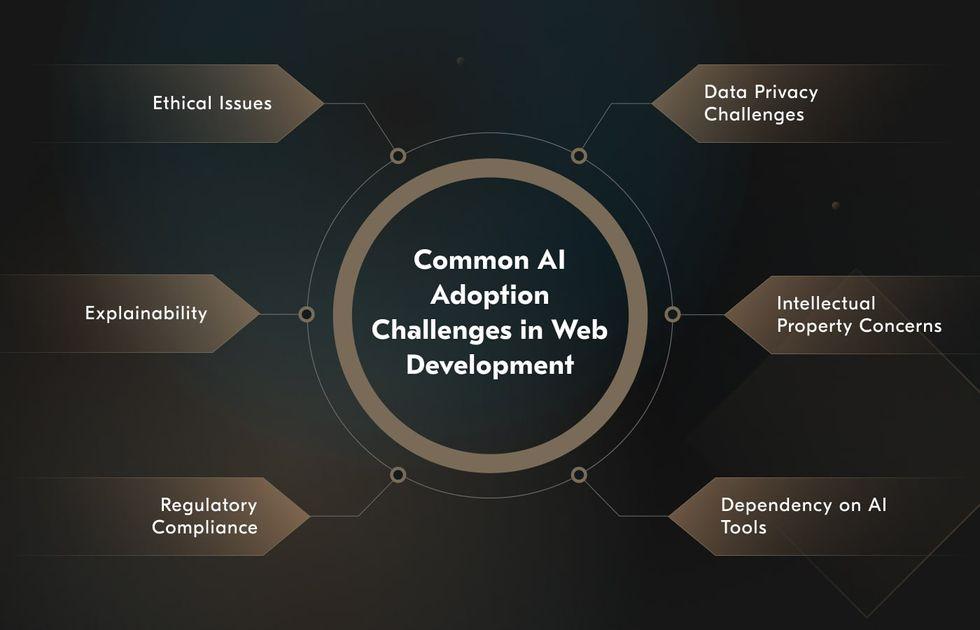
3. Challenges and Risks of AI-Powered Web Development
Despite its advantages, AI introduces challenges that businesses must address before relying on it extensively.
A. Accuracy and Quality Control
AI-generated code and content can contain errors, outdated information, insecure patterns, or incorrect assumptions. Code that appears functional may still introduce performance problems, compatibility issues, or unexpected behavior.
Organizations should establish review processes that include code testing, staging environments, version control, and approval procedures before production deployment.
B. Data Privacy and Security
AI-powered personalization and automation may involve sensitive business information, customer records, source code, or behavioral data.
Businesses should understand how their chosen AI tools process, retain, and use information. They should also implement appropriate access controls, data minimization, consent management, and security reviews.
Applicable privacy obligations depend on the jurisdictions involved. GDPR and CCPA/CPRA, for example, may be relevant to certain businesses and their data-processing activities, but compliance cannot be achieved through AI tools alone.
C. Overdependence on Automation
Excessive reliance on AI can weaken quality control and create technical debt when generated solutions are adopted without sufficient understanding.
Teams still need professionals who can evaluate architectural decisions, diagnose complex failures, protect user data, and ensure that websites meet business requirements.
AI should enhance professional judgment rather than replace accountability.
D. Integration and Long-Term Maintainability
Introducing AI into an established workflow can create new integration requirements, licensing costs, and operational dependencies.
Organizations should evaluate whether a tool fits their existing CMS, development stack, hosting environment, security policies, and maintenance processes. They should also consider the cost of reviewing generated output and the potential difficulty of switching providers.
A successful implementation is one that improves the entire workflow, not merely one that generates code quickly.
4. The Future of AI in Web Design and Development
As AI tools evolve from assistants that respond to individual prompts toward systems capable of executing multi-step tasks, their role in website development is likely to expand.
Several trends deserve attention.
A. From AI Assistants to Agentic Workflows
AI agents are designed to carry out sequences of tasks with varying degrees of autonomy. In a web development environment, this could include analyzing a bug report, proposing a fix, generating tests, preparing a code change, and presenting the results for approval.
Such workflows may reduce manual coordination across repetitive tasks. However, the degree of autonomy varies between tools, and production changes should remain subject to appropriate permissions, testing, and human approval.
B. More Intelligent Content Management Systems
Content management systems are likely to incorporate increasingly sophisticated AI capabilities for content creation, classification, search, translation, and personalization.
For WordPress and other CMS platforms, these capabilities could make it easier to manage large content libraries, generate structured content drafts, improve internal linking suggestions, and streamline repetitive publishing tasks.
The most useful implementations will be those that integrate naturally with existing publishing workflows while preserving editorial standards, performance, and control over website data.
C. Greater Emphasis on Human-AI Collaboration
As routine tasks become easier to automate, the value of human expertise will increasingly depend on the ability to define problems, evaluate outputs, and make sound strategic decisions.
Designers will continue to contribute visual judgment, empathy, and an understanding of user behavior. Developers will remain responsible for architecture, security, maintainability, and technical quality. Content professionals will provide subject-matter expertise, editorial judgment, and brand consistency.
AI can accelerate execution, but people must determine what should be built, why it matters, and whether the result is genuinely effective.
D. Data Quality as a Competitive Advantage
AI-driven personalization, recommendations, and analytics depend on the quality and relevance of the information available to them.
Businesses should prioritize clean analytics data, well-structured content, consistent product information, and responsible customer data management. More advanced organizations may benefit from integrating customer relationship management systems, analytics platforms, and customer data platforms where appropriate.
However, collecting more data is not automatically better. The objective should be to use relevant, reliable, and lawfully processed information to improve business decisions and customer experiences.
E. Responsible AI Governance
As AI becomes more deeply integrated into digital operations, organizations will need clear policies governing its use.
These policies should address data privacy, intellectual property, security, bias, content accuracy, accessibility, and human accountability. They should also define which tasks can be automated and which require explicit approval.
Responsible AI governance is not simply a compliance exercise. It helps businesses adopt new technologies without compromising customer trust or operational reliability.
5. How Businesses Can Start Integrating AI Into Their Web Workflows
Businesses do not need to rebuild their entire technology stack to benefit from AI. A practical approach begins with identifying repetitive tasks and evaluating where automation can deliver measurable improvements.
A phased implementation strategy can help reduce risk while demonstrating value.
Step 1: Audit Existing Workflows
Identify time-consuming activities such as content production, routine code changes, accessibility checks, website audits, customer support, and repetitive quality assurance tasks.
Step 2: Select High-Value Use Cases
Start with tasks that are repetitive, measurable, and relatively low-risk. Examples include generating content outlines, drafting test cases, summarizing analytics reports, or producing initial code for developer review.
Step 3: Establish Quality and Security Controls
Define how AI-generated work will be reviewed, tested, and approved. Establish rules for handling confidential information and customer data, and avoid giving AI tools unnecessary access to production systems.
Step 4: Measure Results
Compare performance before and after implementation. Relevant metrics may include development time, defect rates, maintenance costs, publishing turnaround, conversion rates, and customer satisfaction.
Step 5: Scale What Works
Expand successful workflows gradually. Review results regularly, update procedures, and discontinue tools that fail to deliver sufficient value.
This approach allows businesses to treat AI adoption as an ongoing operational improvement rather than a one-time technology investment.
Conclusion: Building Smarter Digital Experiences With AI
Artificial intelligence is transforming web design and development by changing how teams approach design, coding, testing, personalization, and maintenance. Its most immediate value lies in accelerating repetitive tasks, supporting better analysis, and helping professionals deliver digital experiences more efficiently.
Yet AI is not a substitute for sound engineering, thoughtful design, reliable data, or human accountability. Poorly implemented automation can introduce new risks, while carefully selected tools can help organizations improve productivity and make better-informed decisions.
The businesses most likely to benefit are those that approach AI strategically: identifying meaningful use cases, maintaining strong quality controls, protecting user data, and measuring outcomes rather than adopting technology for its own sake.
The future of web development will not be defined solely by how much code AI can generate. It will be defined by how effectively people and intelligent systems work together to create websites that are useful, accessible, secure, adaptable, and aligned with real business objectives.
The competitive advantage will belong to businesses that use AI not simply to build websites faster, but to build better digital experiences.